This needs the Pro or Custom plan. See plans and billing
You can connect more than one domain to your site, like yourbusiness.ie and yourbusiness.com. Your primary domain is the one visitors see: your other addresses send them there.
Which domain is primary
The first domain you add is your primary domain. On Domains, it’s marked Primary, and the page says which domain visitors go to.
Make another domain primary
- In your dashboard, click Domains.
- Find the domain you want. It must show Connected.
- Click Make primary.
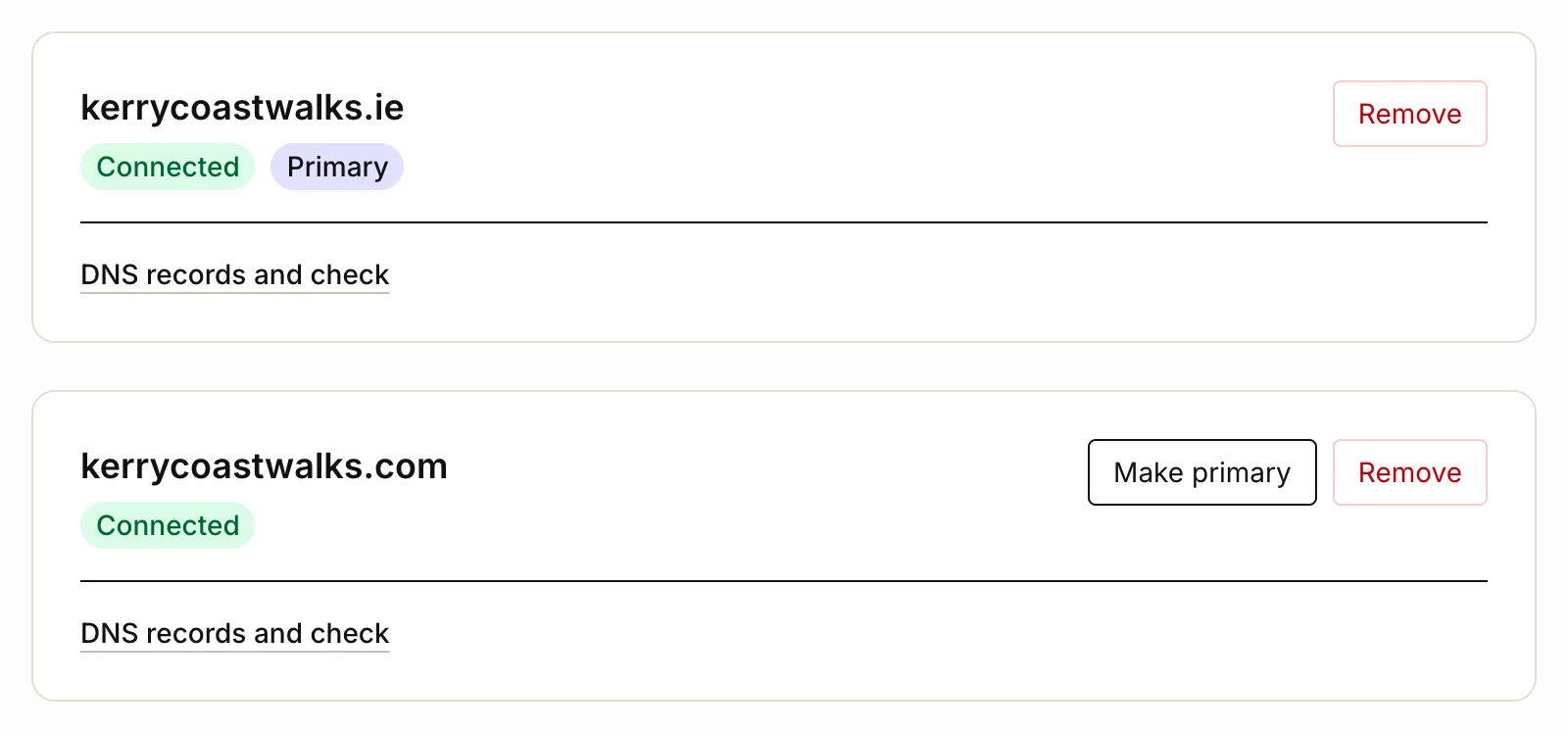
We show that it’s now your primary domain, and visitors go there from then on. Make primary only shows on a domain that’s connected and isn’t primary already. To connect one, see Connect your own domain.
Where visitors go
Once you have a primary domain:
- every page of your site on your Tourfect address sends visitors to the same page on your primary domain
- your other domains, and www, do the same
- Google sees one address for each page, on your primary domain
- links in the emails we send travellers, and your tours on tourfect.ie, point to your primary domain
Your dashboard stays on your Tourfect address.
A new domain
Once your site is live, a new domain shows your site after we’ve approved it. Until then, visitors keep going to your current primary domain, even if you’ve made the new one primary.
If your plan changes
Your own domain is part of Pro and Custom. On Starter, your domains are kept, but they don’t show your site: visitors see it on your Tourfect address instead.
Related articles
Still stuck? Contact us
Tell us what you're trying to do and where it went wrong. We reply by email within a working day.
Contact us