Travellers don’t need an account to manage a booking. The emails we send them when you accept, and the reminder before the tour, have a private link to their booking on your site.
What a traveller can ask
On their booking page, a traveller sees the date, start time, group size, price, reference and your cancellation policy. They can ask to:
- Change the booking: pick a new date and start time on your availability calendar, or a new group size. They see the new total from your prices before they ask.
- Cancel the booking, with a reason if they want to give one.
They can ask one thing at a time. Nothing changes until you answer.
When an ask arrives
We email you what they asked, with their reason, and it shows at the top of Home under Needs your attention. The traveller gets an email to say their ask is with you.
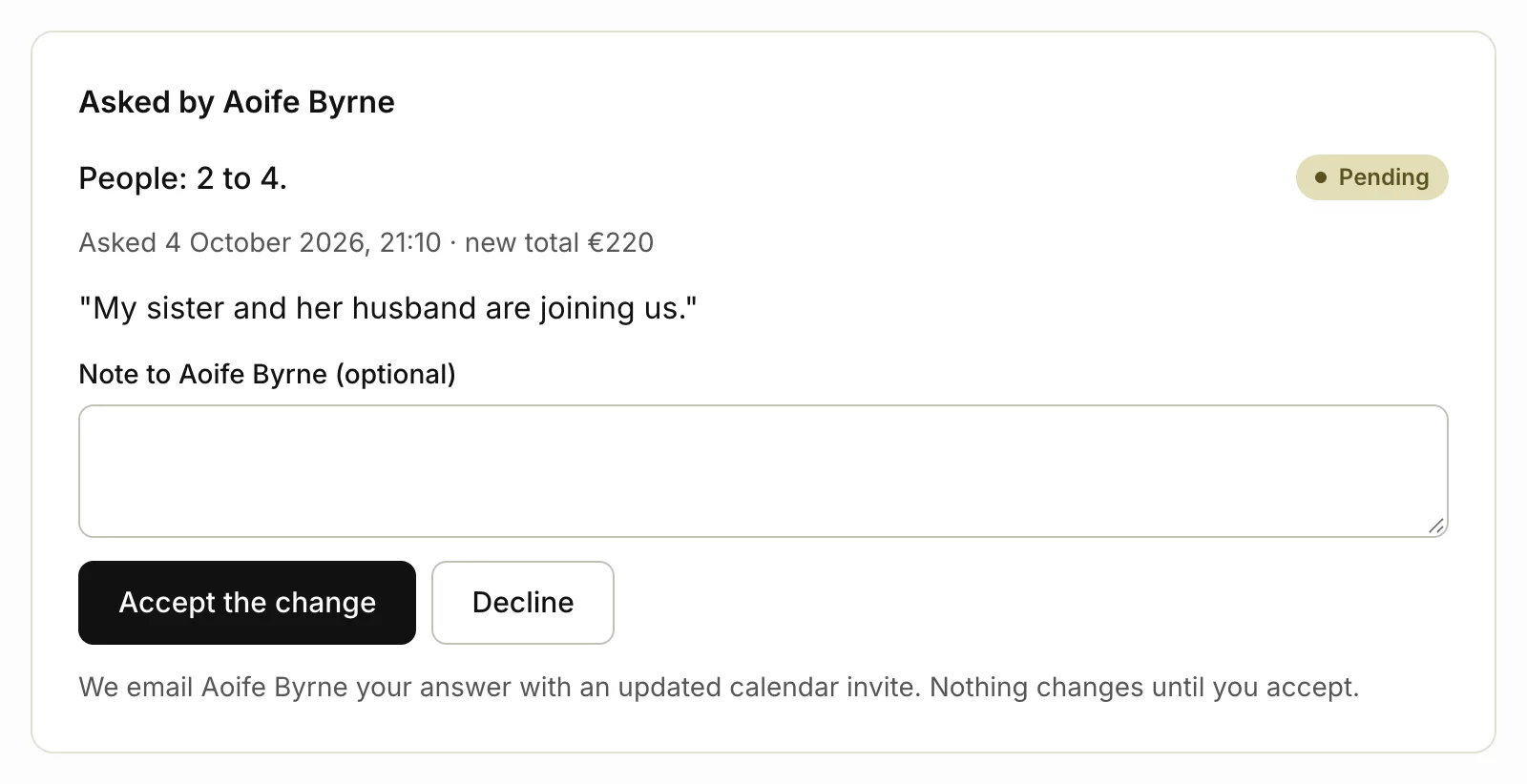
Answer an ask
- Open the booking: click the link in our email, or Bookings and then the booking.
- Under Asked by followed by their name, read what they asked.
- Write a note to them if you like.
- Click Accept the change (or Accept and cancel the booking) or Decline.
What happens next
- You accept a change: the booking moves to the new date, time or group size, with the new total. The traveller gets an email with an updated calendar invite, and their reminder goes again before the new date.
- You accept a cancellation: the booking is cancelled as the guest’s. They get an email to confirm, and so do you. The link they had stops working.
- You decline: the booking stays as it was, and we email them your note.
Every step emails you and the traveller, so you both have a record.
Related articles
Still stuck? Contact us
Tell us what you're trying to do and where it went wrong. We reply by email within a working day.
Contact us